
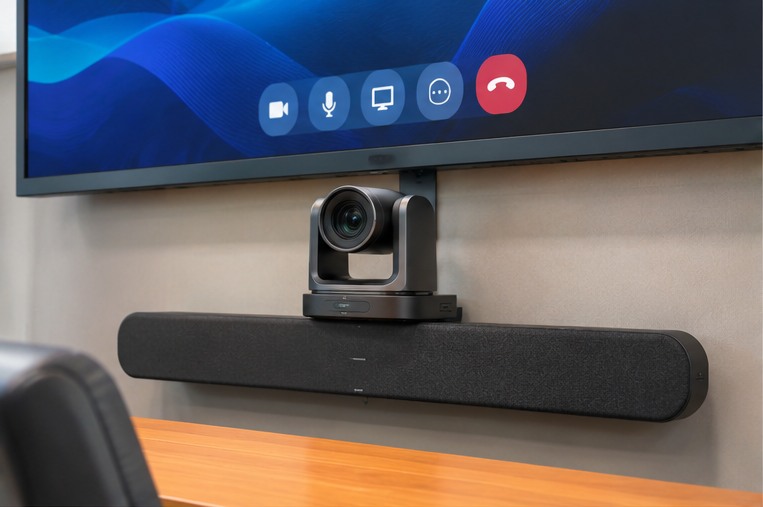
A good boardroom video-conferencing experience is not defined by the camera alone. Participants need to see the people around the table, hear contributions from every seat and share content without losing time to complicated connections. The right configuration depends on the room, how it is used and the conferencing platform the organisation relies on.
Start with the room and participant count
A small huddle room can often use a compact all-in-one camera and speakerphone. A medium meeting room may require a wider field of view, better microphone coverage or expansion microphones. A larger boardroom may need an optical PTZ camera, distributed audio and a dedicated room controller. Seating layout, table depth, window position and lighting all affect equipment placement.
Consider camera and audio together
Camera framing should show the active speakers and the wider table without awkward angles. Microphone pickup and loudspeaker placement should be considered together to avoid poor intelligibility and acoustic echo. In some rooms, a single integrated video bar is enough; in others, separate cameras, microphones and speakers allow a better fit.
BYOD, room systems and controls
Some teams prefer a dedicated room system; others bring a laptop and use the installed camera, microphones and display through a BYOD or BYOM connection. Touch controllers and wireless sharing tools can make the start of a meeting smoother, but they should match the organisation’s platform and IT policy.
Explore available product families
InCountry lists Logitech video conferencing products including BCC950, GROUP, MeetUp, Rally Bar Mini, Rally Plus, PTZ Pro 2, Tap IP and Swytch. Product specifications, platform support and availability should be checked against the exact model and project requirements.
Browse InCountry video conferencing products ↗
Before requesting a quotation
- Share the room dimensions and a seating plan or photographs.
- Confirm the conferencing platform and any IT restrictions.
- Estimate the usual number of participants and remote attendees.
- Identify display, audio, control and cable-management needs.
- Ask about installation, user orientation and after-sales support.